
Kindergartners can learn to code with paper arrows, colored blocks, and their own two feet. This post explains what coding means at age five, walks through five screen-free activities that build on each other, and shows where a young coder can go next.
What Coding Means for a Kindergartner
Coding sounds like something that happens at a keyboard, but for a five-year-old it starts as a game of giving clear directions. Put simply, coding for kindergarten means putting step-by-step instructions in order so that someone, or something, can follow them. A child who tells a friend how to get from the classroom door to the reading rug is already doing it. They have to decide what comes first, which way to turn, and what to change when the friend ends up in the wrong spot.
Each of those decisions has a name in computer science. Deciding what comes first is sequencing. Telling the friend which way to go is giving directions, with commands such as forward, turn left, and turn right. Changing the one step that sent the friend to the wrong spot is debugging.
These are the same skills the Computer Science Teachers Association (CSTA) sets for kindergarten in its 2026 computer science standards. Students should be able to “create a sequence of commands to solve a problem or express an idea” and “identify a step in a sequence of commands that does not work as expected.” Harder ideas like loops and if-then rules aren’t expected at this age, so a kindergarten lesson can focus on order and on fixing mistakes.
None of these goals needs a computer, so the first lessons can happen without one.
Why Start Coding Without a Screen
Starting without a computer also suits the way five-year-olds learn. On a screen, the steps can scroll out of sight, while a row of cards on the table shows every one of them. Children this age do well with things they can touch, and the Illinois Early Learning Project puts it plainly: “Young children thrive when they learn using concrete hands-on materials.” Arrow cards, tape on the floor, and colored blocks give a five-year-old something to hold, move, and check, so they can see the whole sequence at once.
The CSTA standards allow for this. For kindergarten, they say that unplugged activities are appropriate and that students don’t have to use computers.
Starting without a screen is about what fits a five-year-old, not about avoiding screens altogether. The American Academy of Pediatrics also asks families to think about the quality of children’s screen time, not just the amount. For first coding lessons, cards and tape are the better fit.
Screen-Free Coding Activities for Kindergarten
The five activities below put sequencing, directions, and debugging into practice, and they work best in order. They start with spotting a pattern, move on to giving and following commands, and end with finding a bug in code that someone else wrote. Each one fits into a short lesson, and each works at home with a parent as the partner.
Color Patterns
Patterns are a good first activity because they teach students to notice what repeats. Colored blocks, beads, or stickers are all you need. Start a pattern, such as red, red, yellow, red, red, yellow, and ask students to add the next three pieces. Once they can finish yours, let each student make a pattern for a partner to finish. The Illinois Early Learning Project lists patterning as one of the precoding skills young children can build through games.
Be the Robot
With patterns in place, students are ready to give commands, and Be the Robot needs no supplies at all. One student is the programmer, and a partner is the robot. The programmer gives one command at a time, using only three: forward one step, turn left, and turn right. The robot follows exactly what it hears, even when that means stopping short of the goal. When that happens, students see for themselves that a robot does only what it is told.
Arrow Paths on a Floor Grid
Be the Robot runs one command at a time, so the next step is to plan the whole route before anyone moves. Use masking tape to make a grid of squares on the floor, then place a start card in one square and a finish card in another. Students lay arrow cards to map out the path. When it is ready, one student walks it square by square to test it. Because the code sits on the floor, everyone can point to the step where it goes wrong.
Daily Routine Cards
Arrow paths show that order matters on the floor, and a daily routine shows that it matters everywhere else too. Draw or print picture cards for a routine students know, such as washing hands: turn on the water, add soap, scrub, rinse, and dry. Mix up the cards and ask students to put them back in order. Then swap two cards and ask what happens if you dry your hands before you rinse them. This is a good moment to teach a new word. A set of steps that gets a job done, in the right order, is called an algorithm.
Find the Bug
By this point, students have seen their code go wrong by accident. The last activity makes the mistake on purpose. Build an arrow path that works, then swap one card while students look away. Students walk the path, find where it goes wrong, and replace the card. Once they fix it, give the skill its name: debugging.
How to Teach Coding to Kindergartners
Whichever activity you start with, three habits make the lessons work. The first is to keep the code where everyone can see it. Sam Patterson, a teacher writing for Edutopia, explains why: “Without a physical record of the commands, there is no way to debug, edit, or even audit the program as it runs.” Cards on the floor or the table are that record, and a whole group can look at the same mistake together.
That leads to the second habit: treat a wrong step as part of the lesson. Finding and fixing a mistake is a kindergarten goal in its own right, so a bug is something to look for, not a failure.
The third habit is to work in pairs. One student can plan the path while the other tests it, and then they switch so both get a turn at each job.
From Activities to a Screen-Free Robot
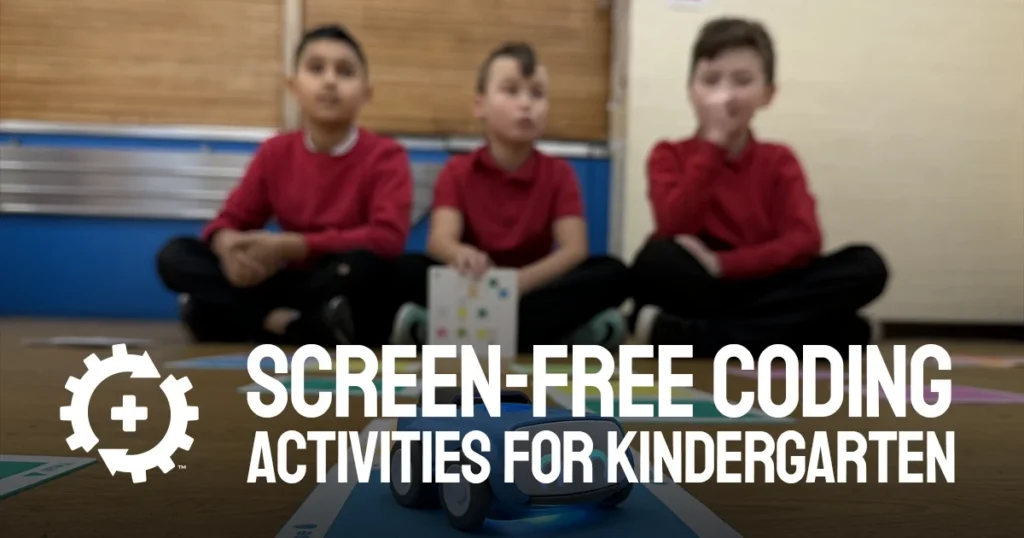
After a few rounds of arrow cards, the natural next step is a machine that follows the code instead of a classmate. That machine can be a small robot that reads a code made of colors or cards, which keeps the lesson screen-free. The code still sits on the table where every student can see it, and the only change is that a robot carries it out instead of a partner.
New to robotics? Start with What is Robotics, a short read that covers the basics.
A robot also makes a longer project possible. Some kids go on to join a robotics team, which can meet at a school or a club. TEAM Alliance runs four of these team programs, grouped by age. In each one, a team works through a season of challenges with its robot and finishes at an event. indi Missions is the one built for kindergarten through 2nd grade, and its teams can compete in person or by sending in a recorded run.
Screen-Free Coding With indi Missions
For a kindergartner, the step from arrow cards to indi is a small one. Instead of laying arrows on the floor, students lay out color tiles, and each color tells indi what to do as it drives over it. No tablet or computer is involved. The program’s full name is the indi Sphero Robotics Mission, and this season’s Missions follow a Smart City theme.
Because the tiles work so much like the cards, a new team’s first session feels a lot like the floor activities. The first meeting in the indi Team Coordinator Guide starts with a green tile on the floor. Students predict what indi will do when it’s set on the tile, then watch to see if they were right. After that, they get about 10 minutes to explore and find out how each color controls the robot.
From there, the students stay in charge. indi Missions is Student-Powered™, so they plan the route, place the tiles, and build the course themselves. The adult on the team, called the Team Coordinator, supports them along the way and doesn’t need a technical background to do it. The guide includes Meeting Agendas to work from, and the whole season fits into 1 to 3 hours a week over 6 to 8 weeks.
One season can also lead to the next. indi Missions, for students under 9, is the first of TEAM Alliance’s four programs. As students get older and gain experience, they can move up to BOLT Missions (under 12) and RVR Missions (under 15), then to the Blueprint Robotics Competition (under 19). Each program builds skills on the one before it, so a child who starts with color tiles in kindergarten can keep growing with TEAM Alliance for years.
Joining starts with finding a team. If your child’s school doesn’t have one yet, email support@teamalliance.org with your location.
In Summary
Coding for kindergarten comes down to three skills: putting steps in order, giving clear directions, and fixing the step that goes wrong. None of them needs a screen. Together, the five activities cover all three, using only blocks, tape, cards, and a child’s own feet. They work best when the code stays in view, mistakes count as part of the lesson, and students take turns.
From there, a small robot that reads colors or cards keeps the same lessons going without a screen. A team season gives students a reason to keep at it, and TEAM Alliance’s four programs let them move up as they get older. If your class or club is ready to start, here’s the order to do it in:
- Pick the program first by comparing TEAM Alliance’s four programs by age. For kindergarten through 2nd grade, that’s indi Missions.
- Get the equipment the program uses: for indi Missions, that’s two indi robots, plus a recommended indi Folding Code Mat and craft supplies.
- Register the team on myTEAMevents.org with a $200 In-Person event season registration fee or a $100 Online Submission season registration fee.
To register a team or plan the program around the team, see how to start a robotics program at your school.
Frequently Asked Questions
What Age Can Kids Start Learning to Code?
Kids can start building coding skills before kindergarten. Preschoolers can play patterning, sequencing, and direction games, which the Illinois Early Learning Project calls precoding. By kindergarten, putting commands in order and fixing a wrong step are classroom goals in the CSTA standards.
Is Screen-Free Coding Real Coding?
Yes. Coding is putting instructions in order, and that works the same on a card or a screen. A student who can plan an arrow path and debug it is practicing the skills that later programming builds on.
Can Kindergartners Take Part in a Robotics Competition?
Yes. Kindergartners can compete through indi Missions, TEAM Alliance’s program for students under 9. Teams can compete at In-Person events or through Online Submission events, where they record their Missions and send them in.