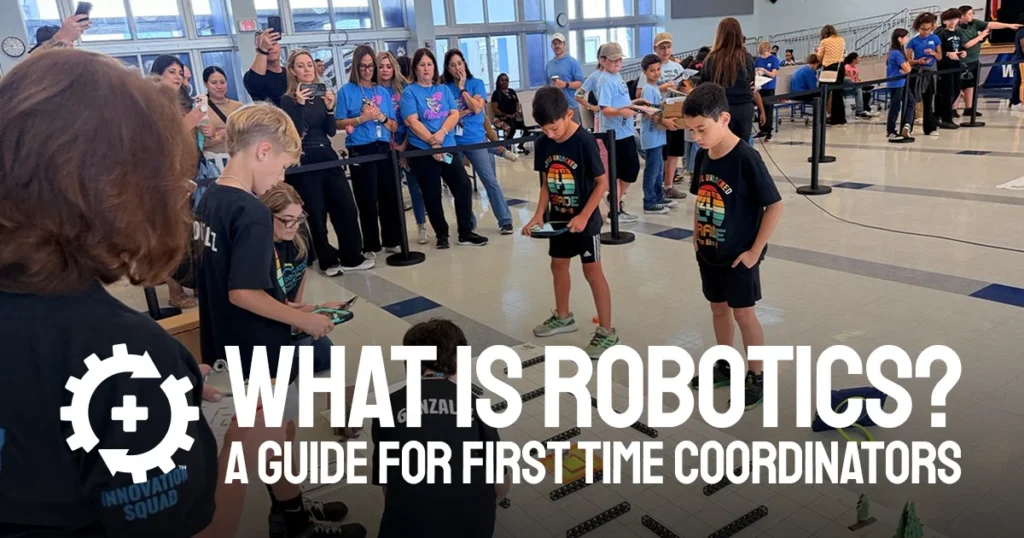

At TEAM Alliance, the adult in the room is intentionally not a “coach.” The title of coach implies some level of background in robotics or technology, but with TEAM Alliance’s Student-Powered approach that is not the case. Instead, the adult only supports the team of students doing the designing, building, and coding. At TEAM Alliance that person is called Team Coordinator. Read on to see what Team Coordinators can do to get an after-school robotics program started.
A School Robotics Program Needs No Technical Background
Again, to start an after-school robotics program a Team Coordinator needs no technical background. Students do all the designing, building, and coding, while the Team Coordinator is the adult who keeps meetings running and supports the team.
Every season the robotics journey starts with the Team Coordinator Guides. The Guides lay out each meeting so a team can begin with the first agenda having no prior robotics experience. The sessions in the guides build on each other, so by the end of the first set of meetings the team of students has all the skills needed to begin that season’s Missions or Competition.
Step 1: Pick the Program That Fits Your Students
The first step for a Team Coordinator beginning an after-school robotics program is to determine which program best matches your students’ age and experience level. See the chart below for the different options and the max age allowed. Note that a team of students can always participate in an older Division if they want the more challenging experience!
| Program | Division | Max age | Time per week |
|---|---|---|---|
| indi Missions | U9 | 8 | 1 to 3 hours for 6 to 8 weeks |
| BOLT Missions | U12 | 11 | 1 to 3 hours for 6 to 8 weeks |
| RVR Missions | U15 | 14 | 1 to 3 hours for 6 to 8 weeks |
| Blueprint Robotics Competition | U19 (grades 7 to 12) | 18 | 2 to 4 hours for 8 to 10 weeks |
Step 2: Pay Registration and Purchase Equipment
Robots and kits are purchased separately from season registration. At TEAM Alliance, teams can sign up for missions or competitions. Not sure which division fits? Compare the four programs side by side.
For Missions, In-Person costs $200 per team and covers every event the team attends. Live Remote events are a backup for an In-Person team that cannot travel to an event. Online Submission costs $100 per team. For these events, students pre-record a Mission run and submit it with an explanation of their strategy, design, and code.
For Blueprint Robotics Competitions, it costs $500 for In-Person registration and covers the 2026-2027 season. Blueprint Robotics Competition has no Online Submission, so those teams register only for In-Person events.
There is no cost to add your team on myTEAMevents.org. You only pay the season registration fee for each team you register. Is it too late to join Online Submission? Not before March 5, 2027, when qualifying submissions are due. You also have the option to register your team early. Check our how to register a team page for sign up steps.
Step 3: Decide Where and When the Team Meets
A school class period, a club, or an after-school block make a great team meeting setting. A meeting agenda runs about 30 to 40 minutes, which fits a short class block or club slot.
Meetings need a room, a robot for each team, and a flat space for the Mission or Competition Field. After that, follow the sessions laid out in the Team Coordinator Guide for a great experience!
Step 4: Plan Your First Weeks With Meeting Agendas
Open the Team Coordinator Guide for your program and use its agendas as your meeting plan. Each agenda is built for about 30 to 40 minutes with students, and you can shorten or stretch it as needed. These agendas make it so you don’t have to write lessons from scratch. Each Missions guide also holds an in-season checklist, tips for competing, and the steps for Online Submission.
The agendas come in three groups:
- Intro sessions: introduce the season’s Missions and basic competition ideas, such as team roles
- Learning sessions: develop the skills to design, build, troubleshoot, operate, and code using lesson plans already written for each robot
- Mission and Competition sessions: practice the Missions and Competitions themselves
A team that has never touched a robot should go through the Intro and Learning sessions before moving on to the Mission and Competition sessions. An experienced team, however, may want to start with the Intro sessions for established roles and getting to know each other, but then skip to the Mission and Competition sessions afterwards. Plan on 1 to 3 hours a week for 6 to 8 weeks in Missions. The meeting agendas in the Team Coordinator Guides can be printed from the TEAM Alliance Library.
Know Where to Turn When You Get Stuck
When a student asks something nobody in the room can answer, we recommend looking it up in the manual together. Students make the technical decisions, so finding the answer is part of the work.
The Library holds the Team Coordinator Guides and manuals, which can clear any confusion about scoring and events. The Frequently Asked Questions page clarifies program, cost, and age related questions. For further support, email support@teamalliance.org with any questions.
Register or Compare Programs
Starting a program takes four steps:
- Pick the program
- Complete registration and obtain equipment
- Decide where and when the team meets
- Plan the first weeks with the meeting agendas
Register the team when the students are ready, or start by comparing the four programs first if the age division is unclear.